A Superpowered Window Switcher for macOS
Overtab combines a GNOME-style Activities Overview and Windows 11-style Tab Switcher into one fluid utility. Switch windows with zero latency, search open apps, and control your workspace.
See it in Action
Interactive simulation. Test Overtab features right in your browser.
// Antigravity AI
import NextJS

struct MarketingSite {
  var host = "Vercel"
  var styling = "Vanilla CSS"
}📕 Overtab User Guide
1. Press Option key
2. Toggle Desktop grid
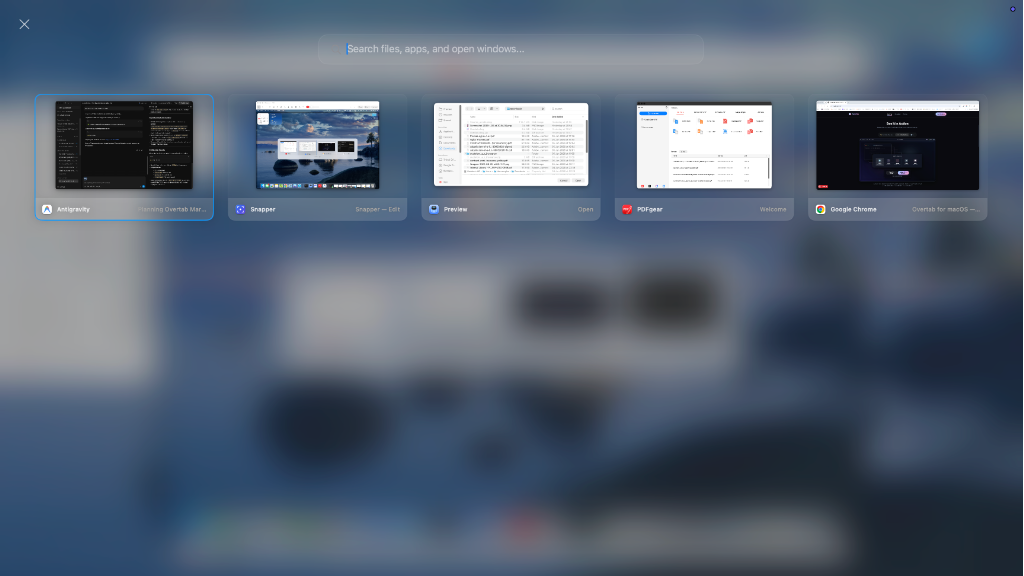
🪐 Activities Overview: Heavy screen background blur with open application cards lined up in a clean horizontal layout, search bar focused at the top center, and close buttons.
Real Screenshots
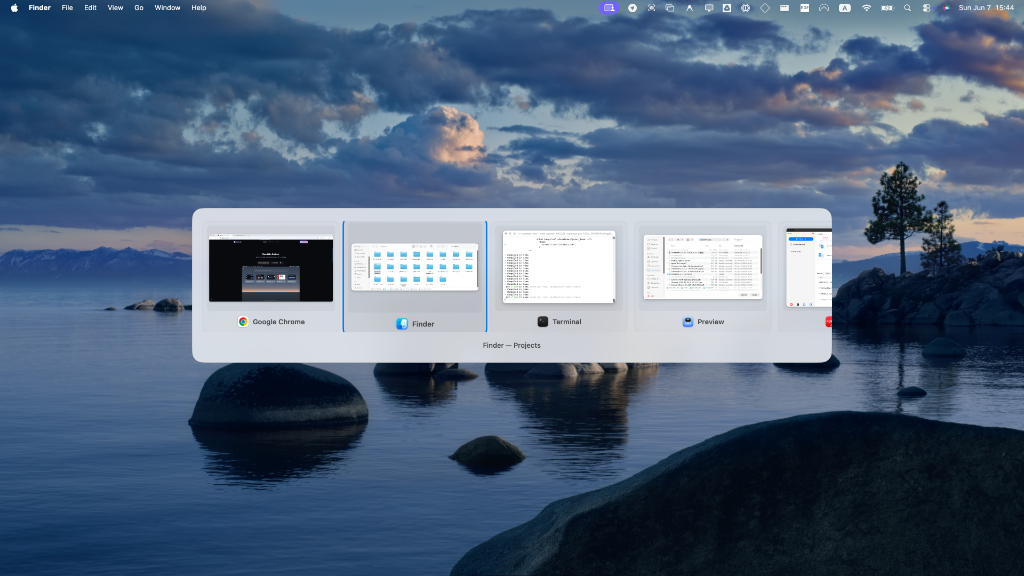
Overtab running natively on a macOS workspace.
Key Features
Engineered for speed, built for productivity.
GNOME Activities Overview
Press and release the Option key alone to view all open windows on your current desktop space in a fluid grid. Focus windows with a click or close them immediately on hover.
Spotlight Window Search
An autofocusing search bar inside the grid allows you to filter open windows instantly, query Spotlight for Applications and Local Files, and press Enter to launch.
Tab Switcher HUD
Hold Option and press Tab to overlay a Windows-style horizontal switcher. Cycles forward and backward in MRU (Most Recently Used) order.
100% Native Swift
Written from scratch in Swift and SwiftUI. It connects directly to AppKit APIs for event interception and window tracking. Zero Electron or WebKit overhead.
Privacy First
Screen capture and Accessibility permissions are only used locally to grab window previews and shift active windows. Zero data is transmitted or stored.
Preferences HUD
A clean status item menu lets you customize key triggers, disable individual components, and verify system-level permissions at a glance.
Upgrade Your macOS Window Switching
Download the unsigned package and run it in seconds with standard Gatekeeper bypass steps. Fully open source, secure, and fast.